3 minutes to teach you how to buy NFT on OpenSea
- Ethan 劉呈顥

- May 3, 2025
- 2 min read

search
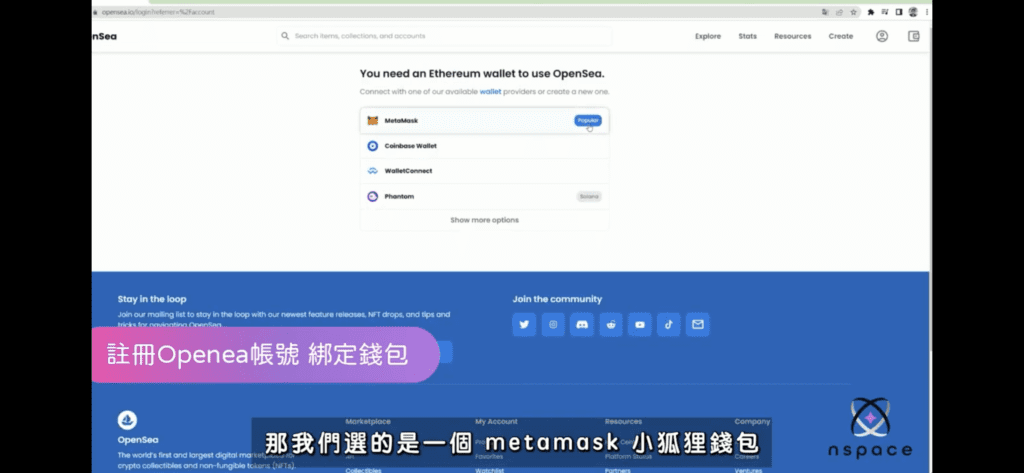
If you don't have a virtual wallet, this time we will

After downloading, if you already have a wallet account, select : Log in to your wallet. If you don’t have a wallet, select : Create a wallet. Pay special attention to the mnemonic phrases, it is recommended to keep them in paper form.
Finally back
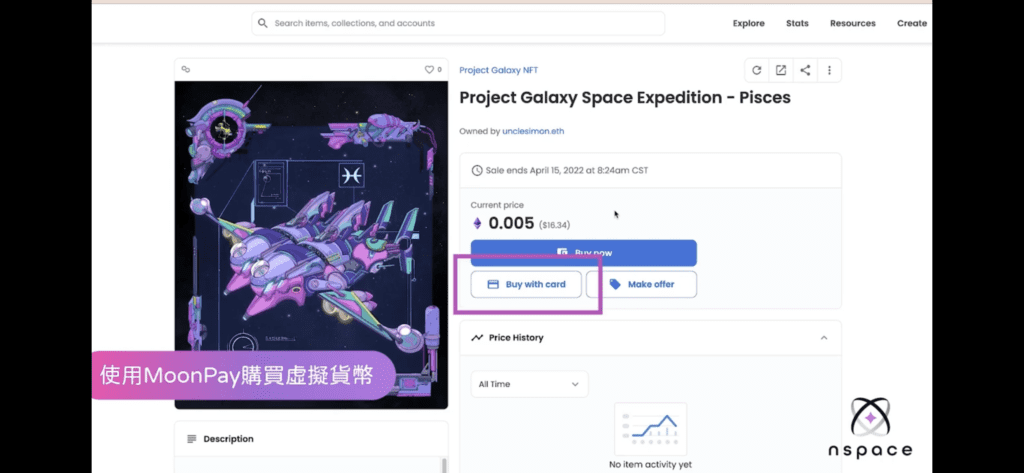
First, you can click the wallet screen in the upper right corner of OpenSea to enter my wallet, add funds, and use a credit card to purchase ETH.
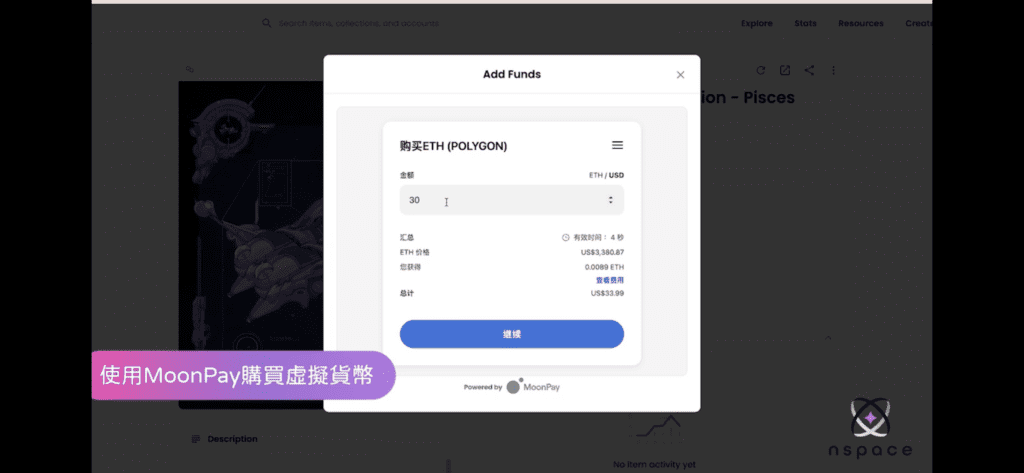
Then you will enter MoonPay and select the virtual currency you want to purchase. Currently, the main trading currencies on OpenSea are ETH or Polygon. After confirming the currency, enter the amount. The current minimum transaction amount is US$30.
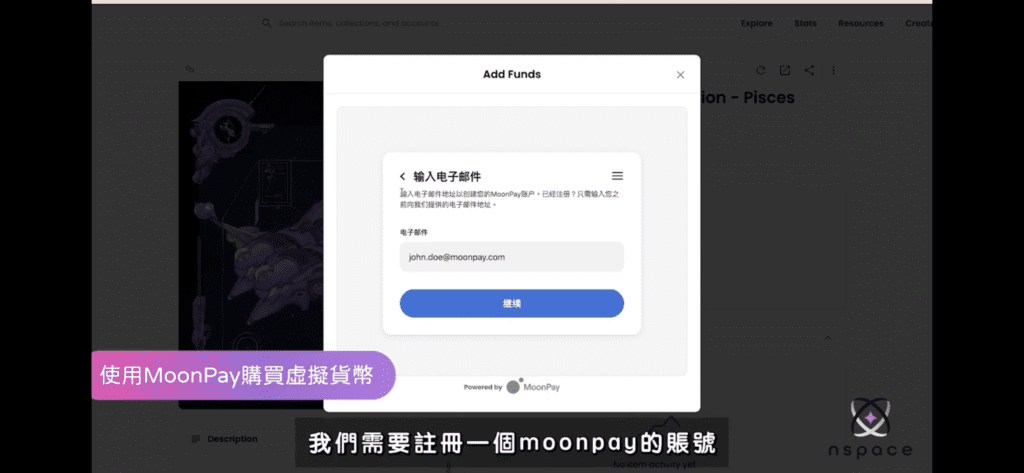
You need to register a MoonPay account for your first purchase, so you need to go to your mailbox to complete the authentication.
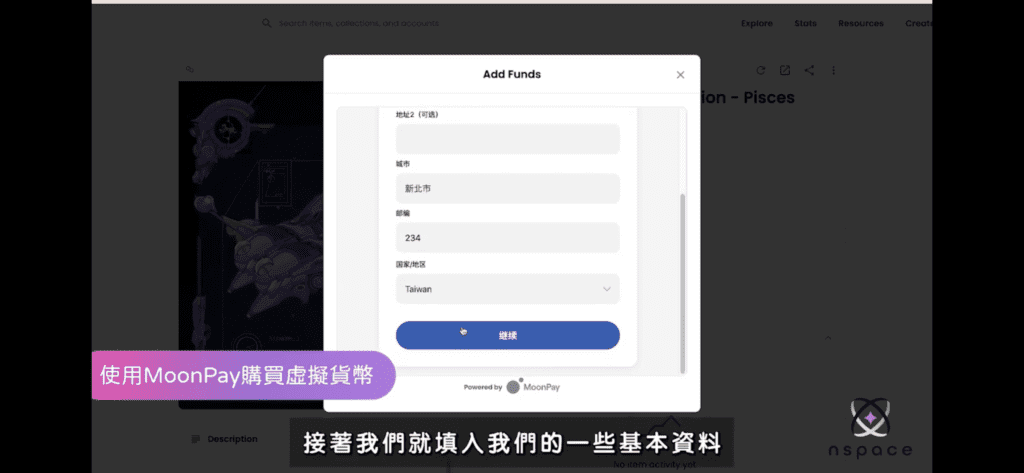
Next, enter basic information, fill in the credit card information for debit and credit card verification.
A dialog page will appear, scroll to the bottom and you will see a green check mark icon "Completed", which means the purchase has been successful.
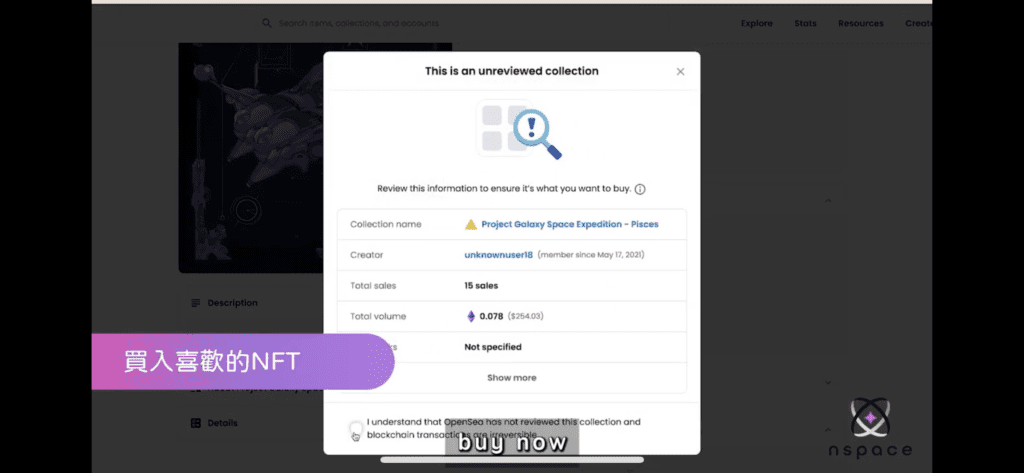
Use the virtual currency you just purchased to buy the NFT you want and click Buynow.
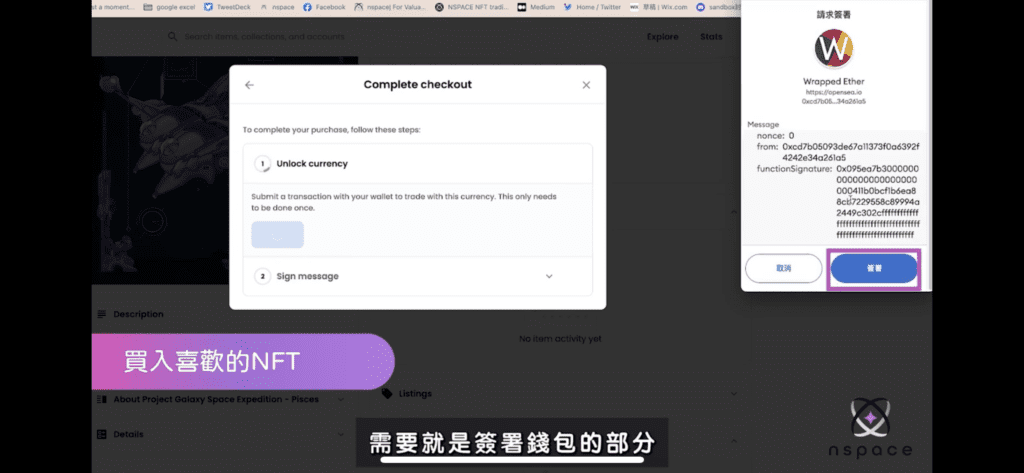
Then comes the signing phase.
Sign message : Signature confirming the purchase of this NFT.
Then comes the signing phase.
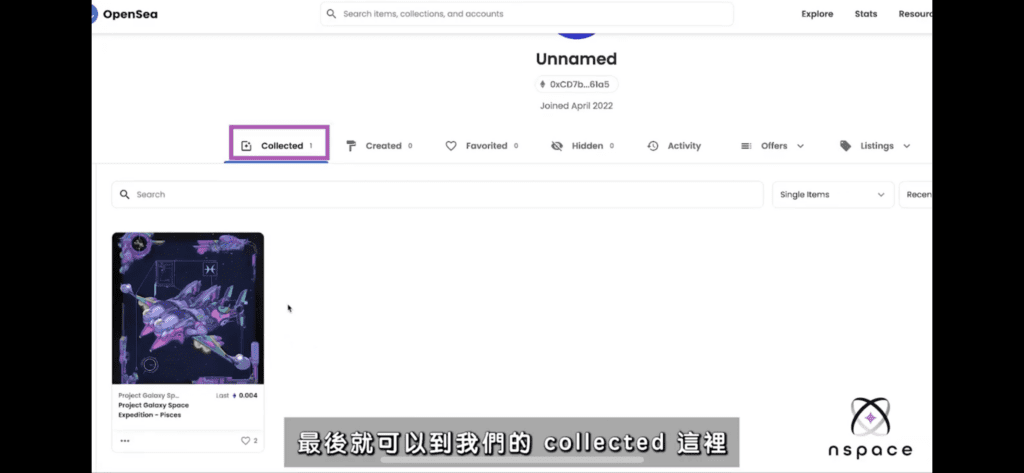
After completing the NFT purchase, you can see it in Collected on your personal page! With these simple steps, you can also join the ranks of NFT collectors!
If you want to know more about NFT, you can join the nspace community:
Sign message : Signature confirming the purchase of this NFT.

Comments