How to vote and propose on-chain in Tally
- Ethan 劉呈顥

- May 3
- 3 min read
Are you lacking funds, team or community promotion on the road to your dream? Then you definitely can’t miss “ZhiDAO”! This article will introduce how to vote and propose in ZhiDAO. You can find like-minded partners and meet interesting souls here. After completing the off-chain proposal in the ZhiDAO Discord, how do you enter the ZhiDAO Tally chain to vote? As a holder of ZhiDAO NFT, you must learn the tutorials. Today, I will share with you the voting and proposal methods on the Tally chain!
When you first enter Tally, you need to set a voting representative.
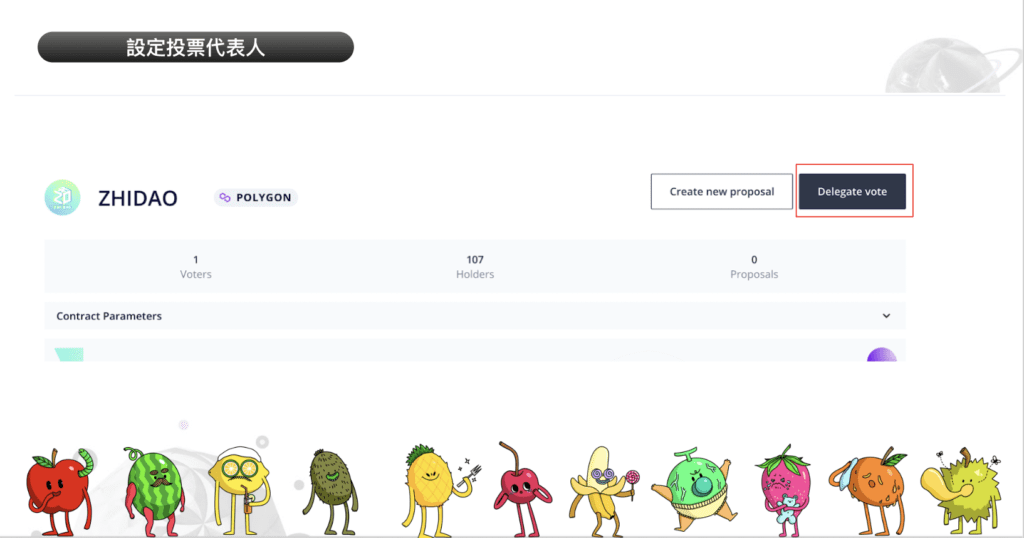
After entering the ZhiDAO Tally homepage, click “Delegate Vote”.

You can then select “Delegate to self” and sign with the wallet that holds the ZhiDAO NFT to complete the setting, or you can select “Delegate to other holders” and then just fill in the wallet address of the delegate who also holds the ZhiDAO NFT. Your ZhiDAO NFT voting rights can be handed over to the designated person to vote on your behalf.
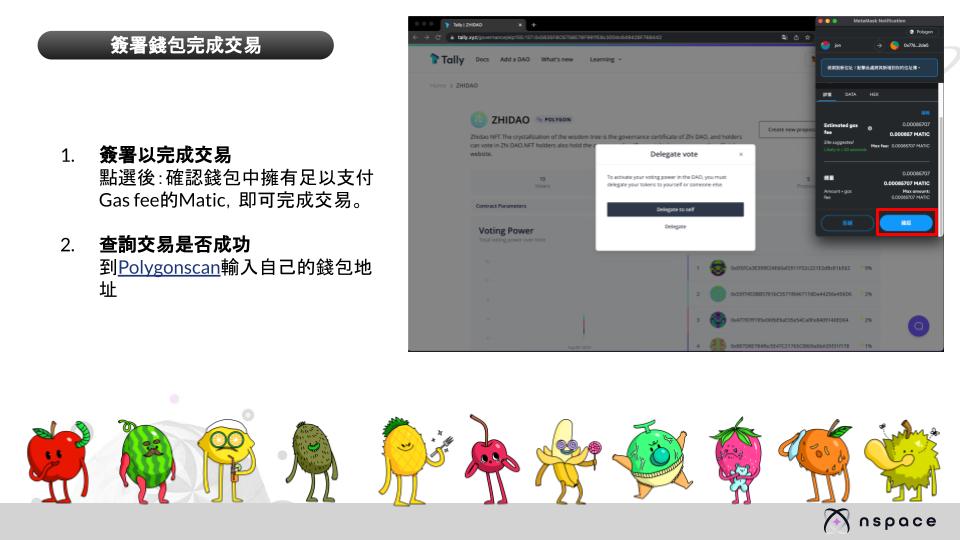
Finally, confirm that there is enough Matic in your wallet to pay the gas fee, and click Sign to complete the delegation.
Tally Voting Methods

You can see the current proposal and voting status on the "Homepage":
PENDDING means frozen state
ACTIVE means voting is in progress
CANCELED or DEFEATED or SUCCEDED are voting proposals that have ended

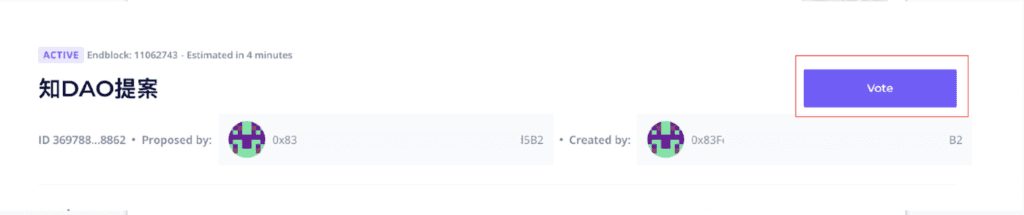
Click the proposal marked “ACTIVE” that you want to vote for, and then click “Vote” to vote and express your opinion. Each vote will cost a small amount of MATIC as a gas fee. (How to buy Matic!)
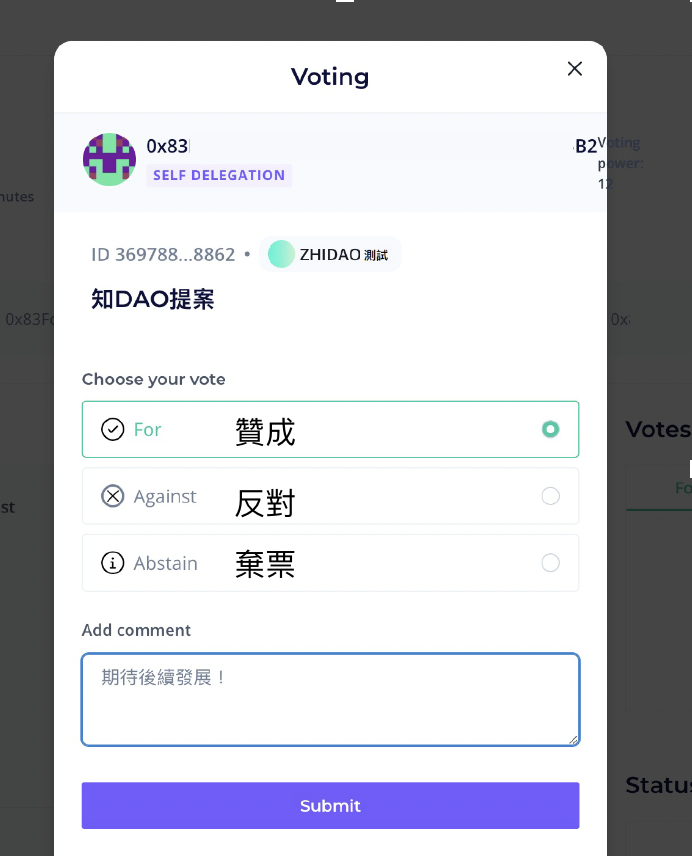
https://www.kolbranding.com/how-to-buy-matic-with-matamaskSelect your voting opinion and leave your thoughts in "Add Comment". Finally, click "Submit" to complete the voting!
For
Against
Abstain means abstention
How to make a proposal in Tally?
For detailed proposal process, please refer to the proposal process in the DAO white paper.
This article mainly focuses on Tally interface teaching.
Please fill in the proposal application form
Only after completing the subsequent process can you go to DAO Tally to vote on the proposal!
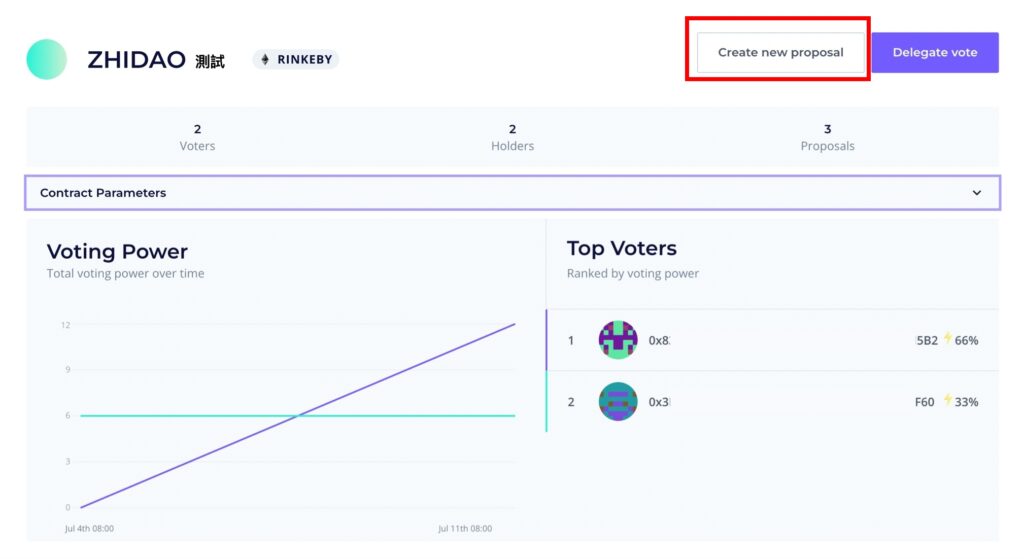
After entering the ZhiDAO Tally homepage, click “Create new proposal”.
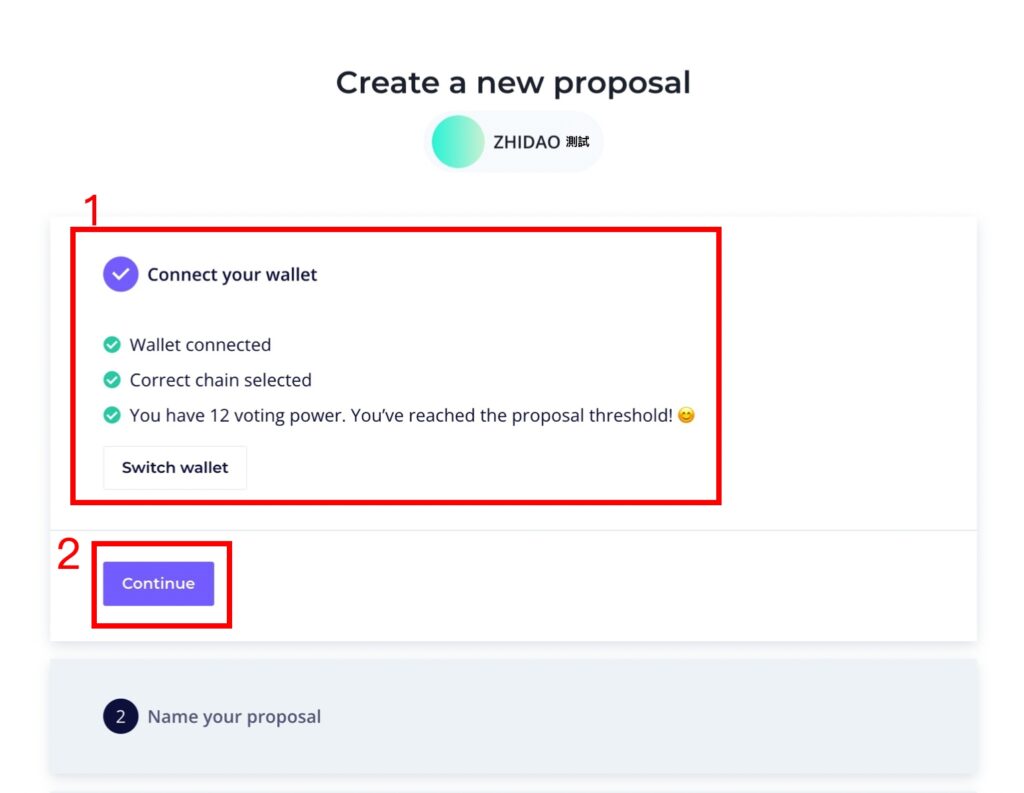
When creating a new proposal, you need to confirm three things:
1. Is the wallet linked?
2. Confirm wallet
Have you switched to the Polygon chain?
3. Check whether there is "ZhiDAO" NFT in your wallet
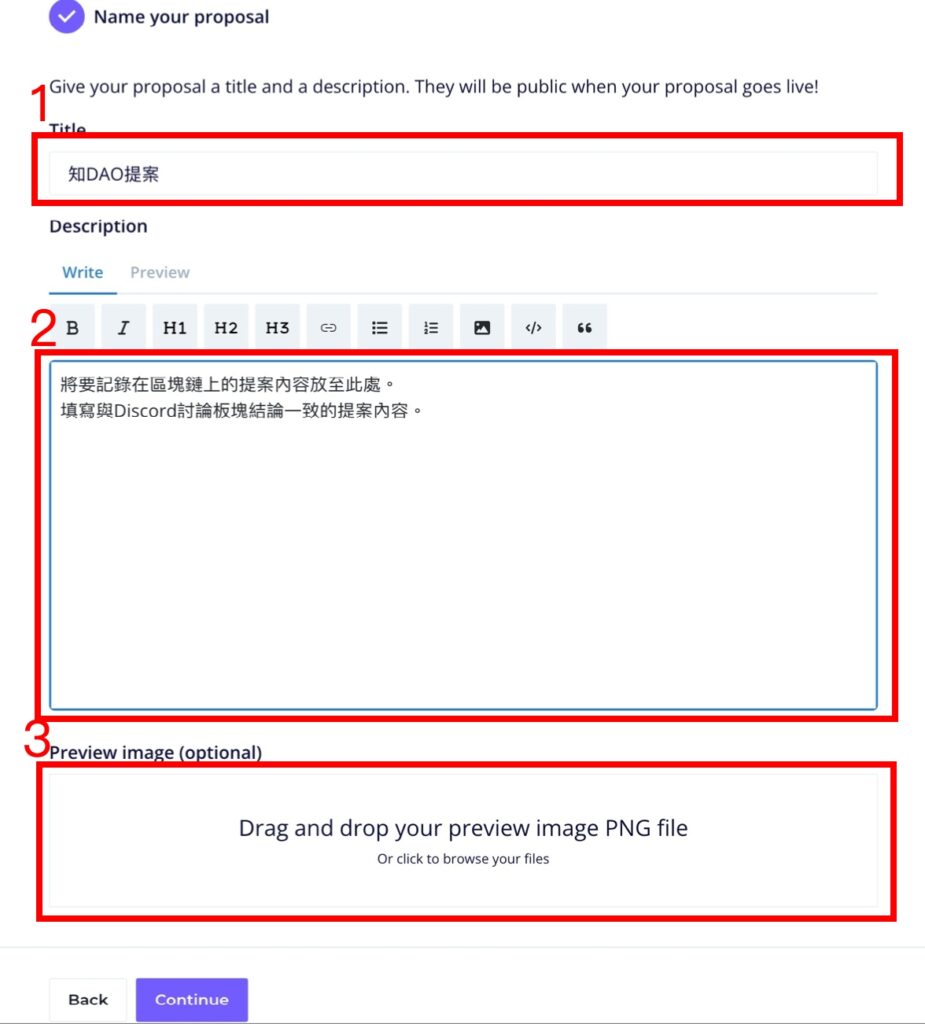
Note: You must complete the delegation before you can make a proposal! After confirmation, click "Continue". Then fill in the corresponding fields with the file information of the offline discussion results:
1. Proposal Name
2. Proposal Content
3. Proposal attachment image upload area
When finished, click "Continue" below.
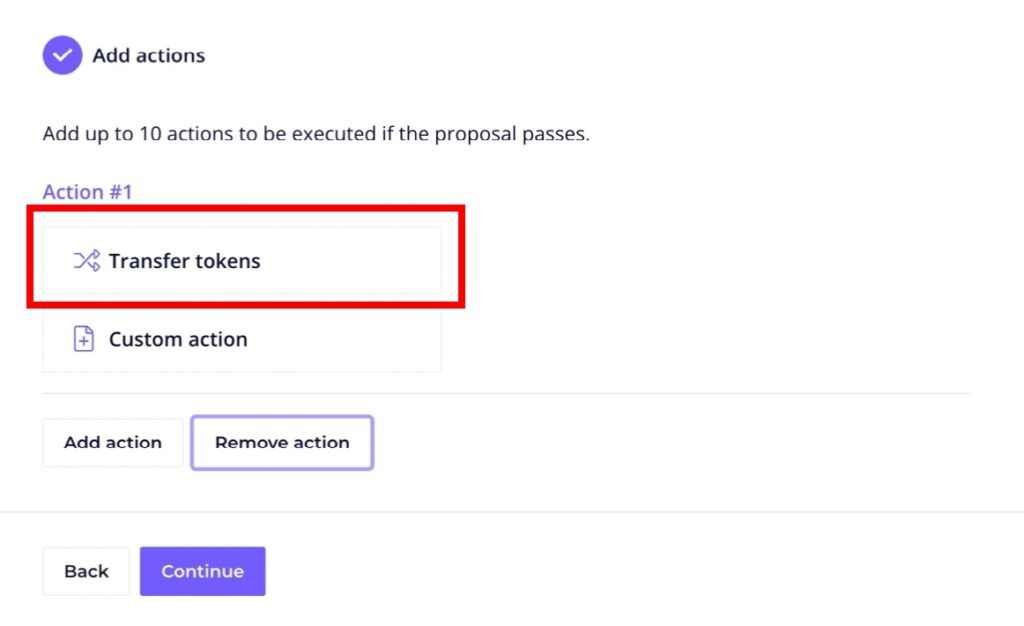
Next you will enter this page and click "Transfer tokens".
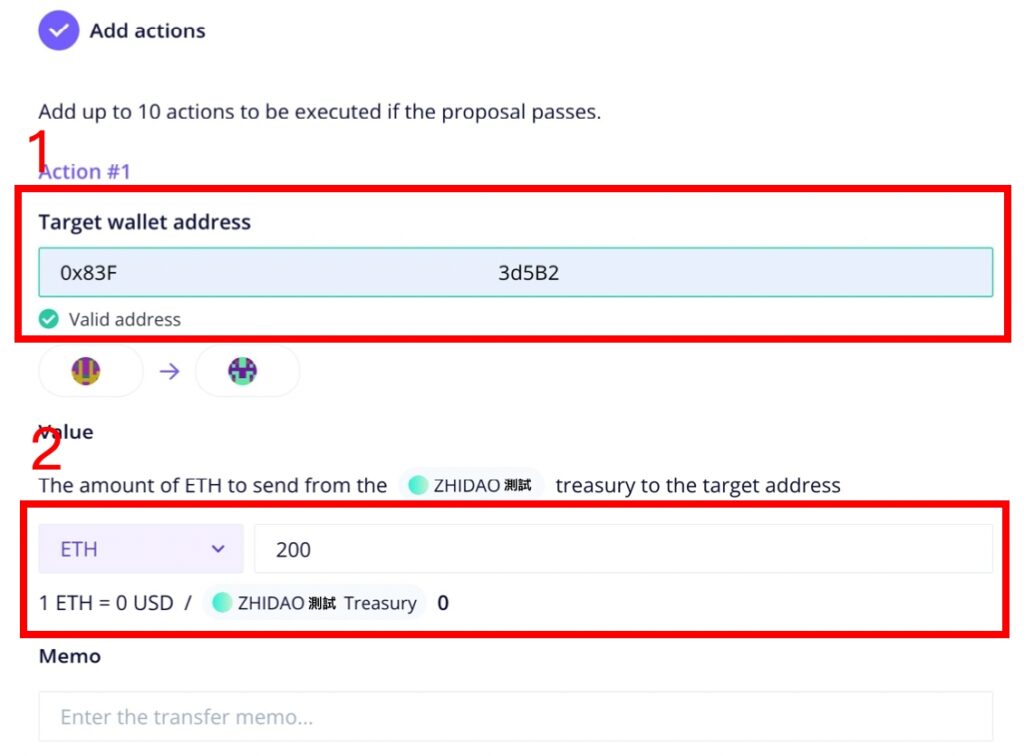
Fill in the amount required to be withdrawn from ZhiDAO:
1. Fill in the recipient's wallet address
2. Fill in the amount required for this proposal (in ETH)

After completing the above steps, preview the proposal content to see if there are any errors. If there are no problems, click "Submit on chain" below to publish the proposal on the chain!
The above are the steps on how to conduct Tally on-chain voting and proposals in ZhiDAO. If you don’t have ZhiDAO NFT yet, you can also purchase it in the ZhiDAO secondary market! Welcome to join the community-autonomous Metaverse Knowledge Center and share your most creative proposals or dreams with ZhiDAO! If you want to know how to purchase "ZhiDAO" NFT, click the link to watch the tutorial.
If you want to know more about NFT, you can join the nspace community:

Comments