OpenSea launches NFT tutorial! Simple and clear, you will learn it in one go!
- Ethan 劉呈顥

- May 3, 2025
- 2 min read
NFT has created unlimited possibilities for creators. The products sold do not need to be physical, and even a piece of text can become an NFT, but how should we frame these works and turn them into NFTs? What is OpenSea?
For binding wallet, please refer to this article:

Go to the OpenSea website, click the account icon, and then click Settings
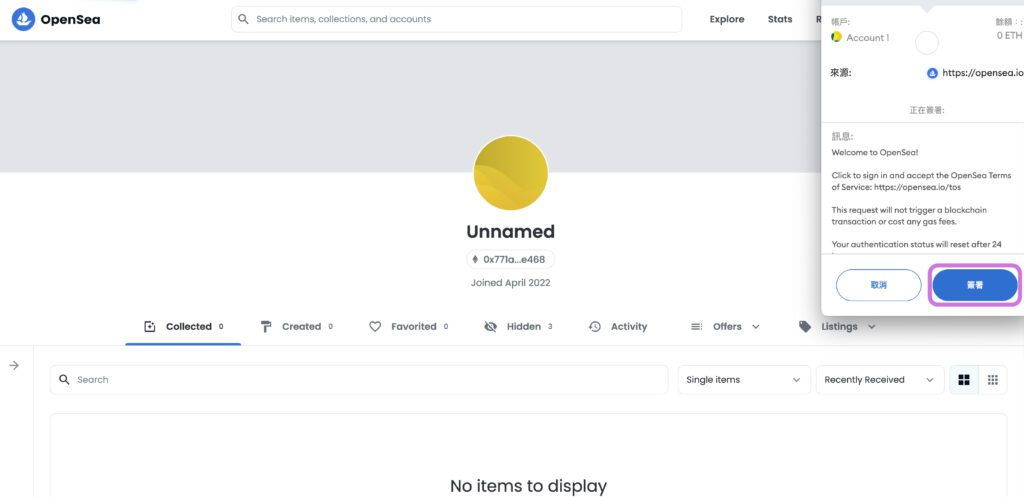
Because you need to change your account information, a sign window will pop up. Click Sign. Then you can fill in the basic information and change the image to choose a name that best suits your personal brand image! !
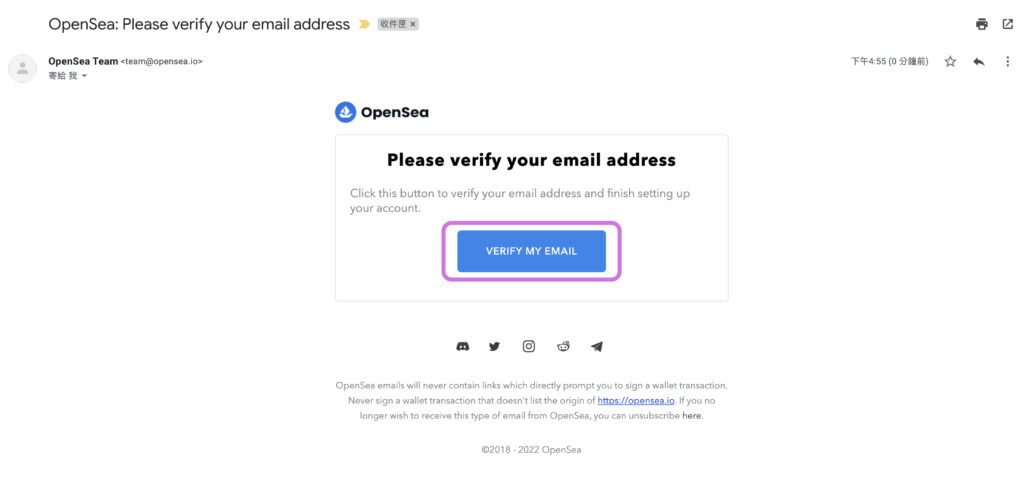
You need to receive the verification email in the mailbox you just filled in, click VERIFY MY EMAIL and you are done!
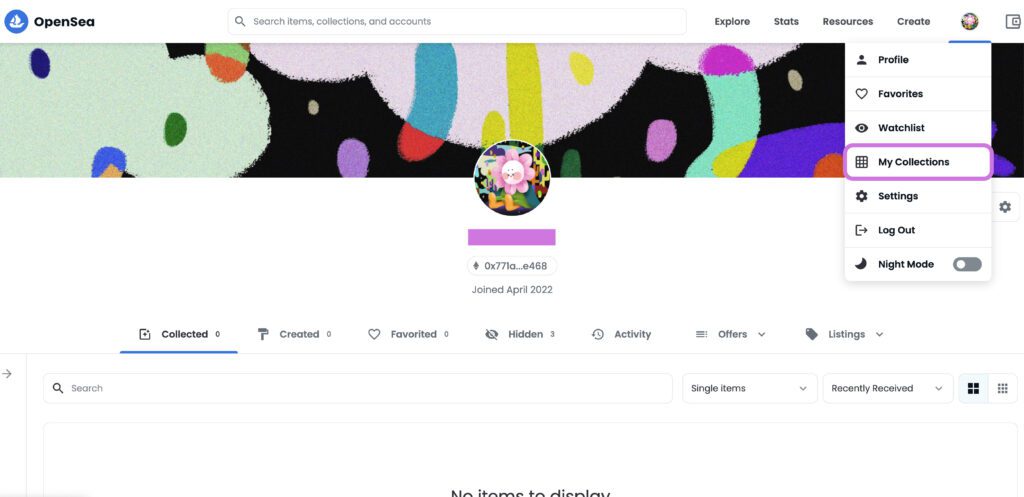
Click Account, then My Collection
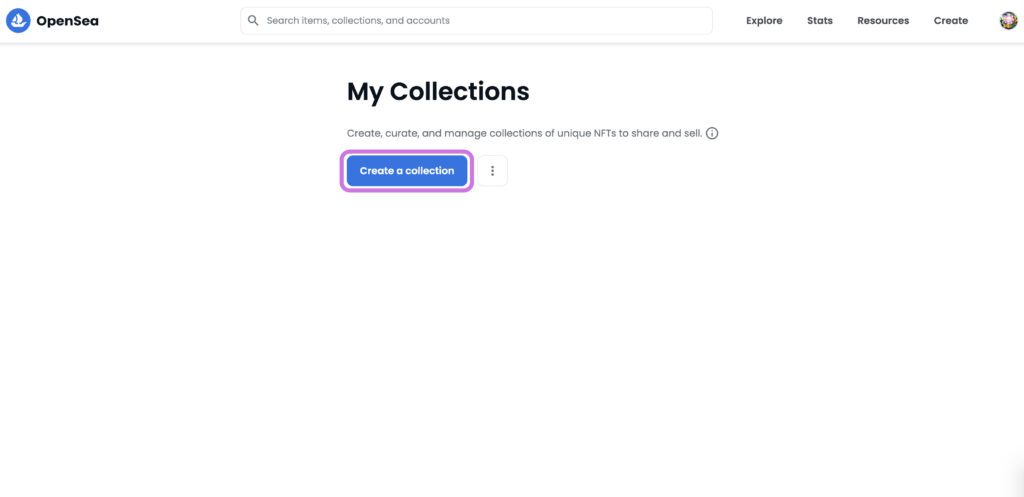
Press Create a collection
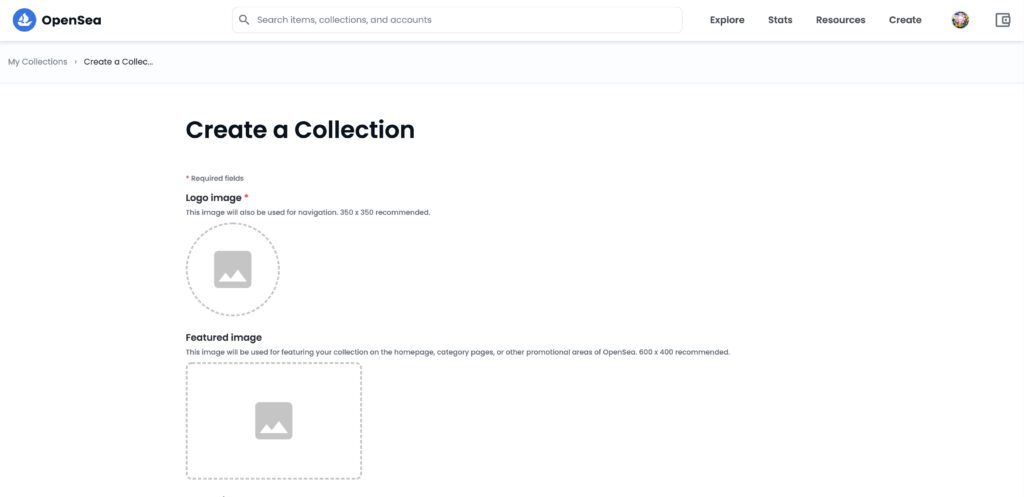
Add an icon and description to this folder, and write down your thoughts, stories, and future developments for this series.
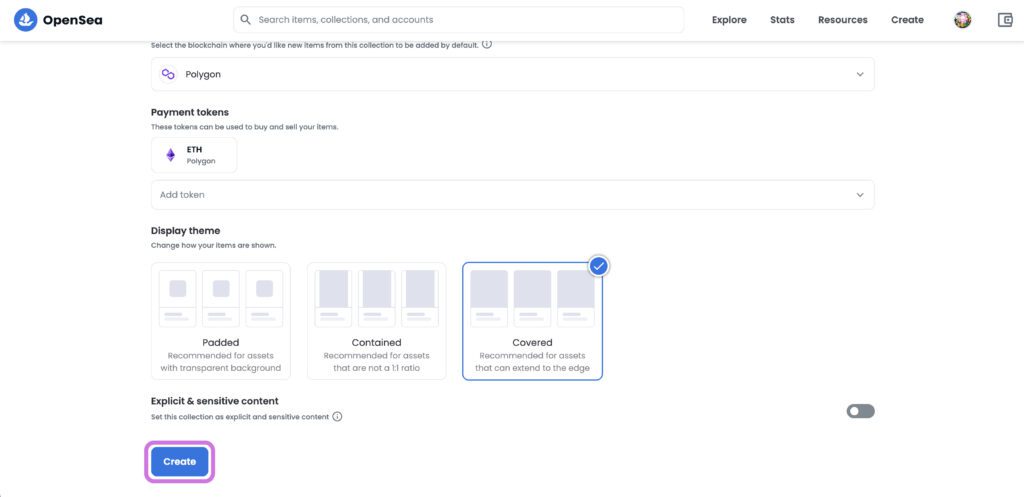
Set the percentage (up to 10%) that the creator can take for each NFT transaction in this collection, the wallet address, the transaction chain, and the cryptocurrency currency to receive the payment. Finally, after selecting the display method, you can press Create
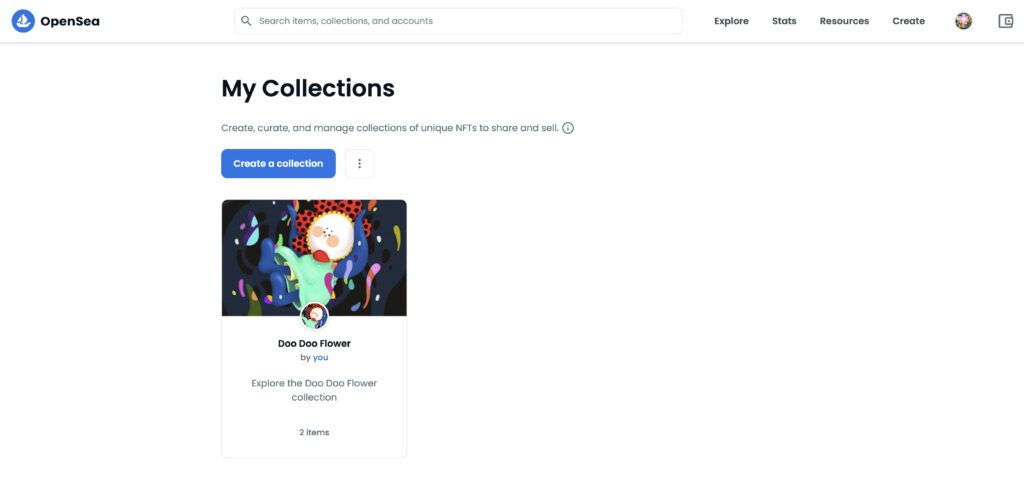
Go back to the My Collection interface and you can see the folder you just set up!
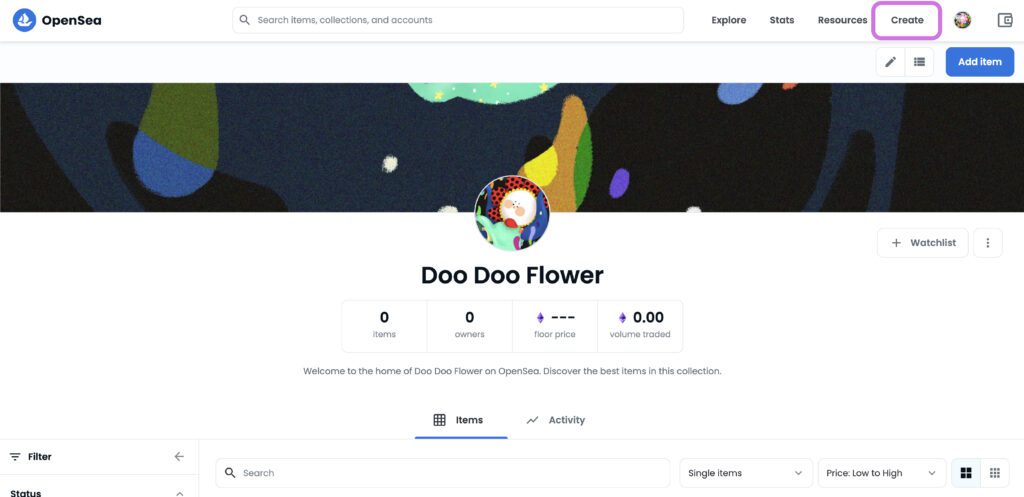
點選Create
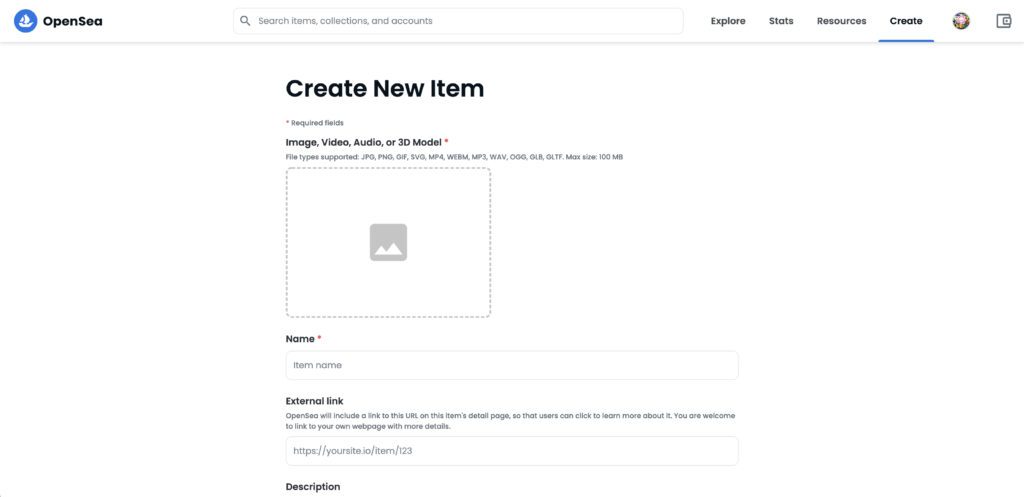
Add NFT files, names, links and collections
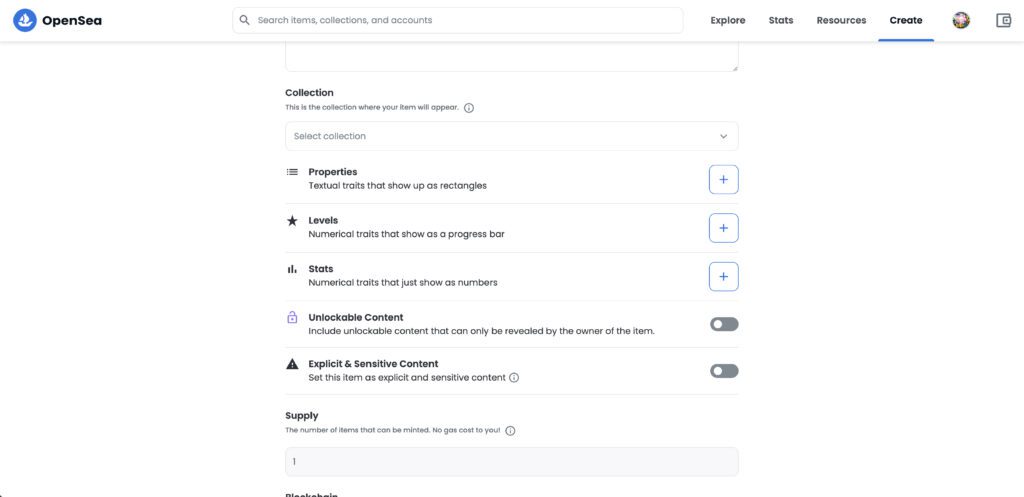
You can also set the properties, level, status and unlockable content of NFT
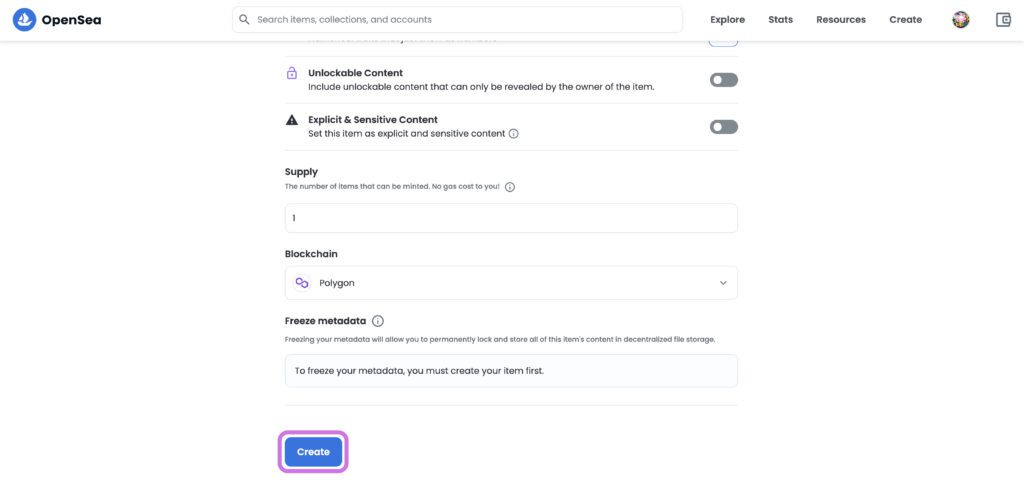
Finally, set the number of NFTs issued, the blockchain, and whether to freeze this NFT setting. Once the NFT's metadata is frozen, it cannot be unfrozen or changed. As long as Ethereum and Filecoin exist, the NFT and its metadata will also exist. After completion, press Create
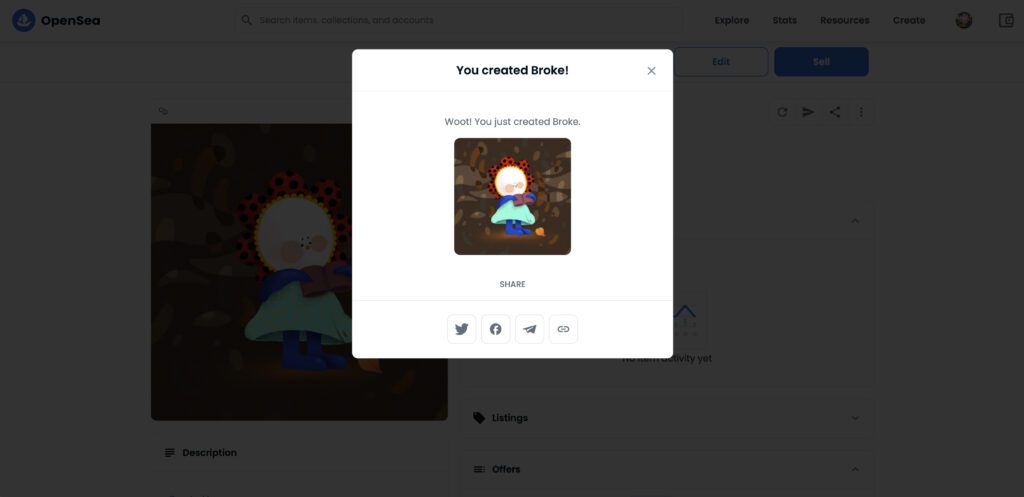
When this window pops up, it means that the NFT has been successfully created!
For instructions on selling NFTs, please refer to this article: If you want to know more about NFTs, you can join the nspace community:

Comments